
Vendors
Your vendor ecosystem in one place
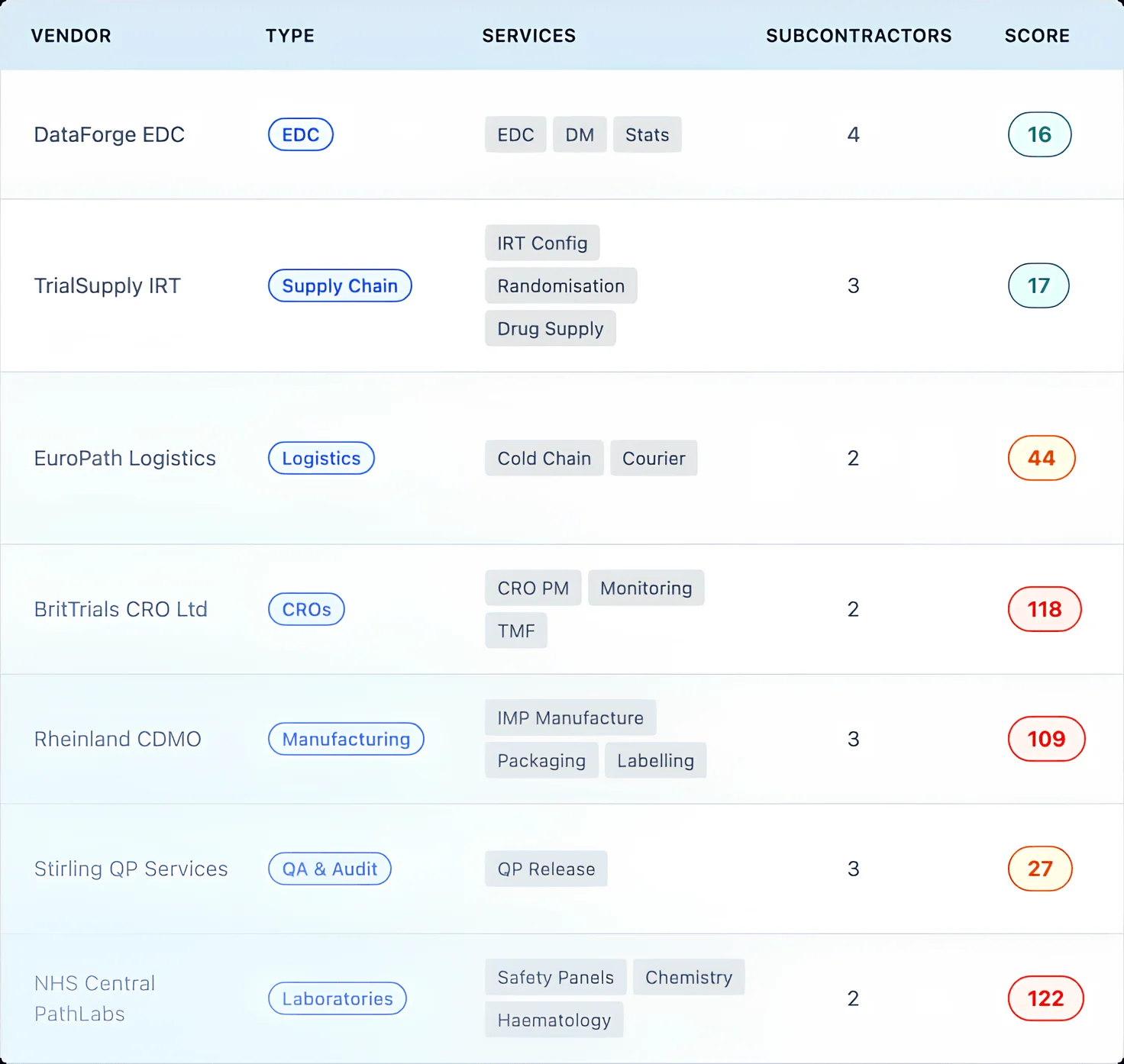
The vendor registry is the centre of VendorVigilance. Every vendor, every service they provide, every subcontractor they engage, every study they work on: captured in a single, structured record. A tabbed detail page connects qualifications, contracts, selections, risks, deliverables, KPIs, meetings, and responses without switching tools.
- + Vendor Score: An aggregate risk indicator derived from associated risk items. Low, Moderate, or High, visible at a glance on every vendor record.
- + Services: Map capabilities across your vendor ecosystem. See which vendors provide overlapping services and where single points of failure exist.
- + Subcontractors: Track the supply chain beneath your vendors. Audit status, quality issues, and TMF documents all linked to the parent vendor.
- + 19 vendor types: CRO, Laboratory, CDMO, Pharmacovigilance, Data Management, Software, and more. Each type comes with predefined baseline risks that auto-populate on vendor creation.
Selections
Structured vendor evaluation, every time
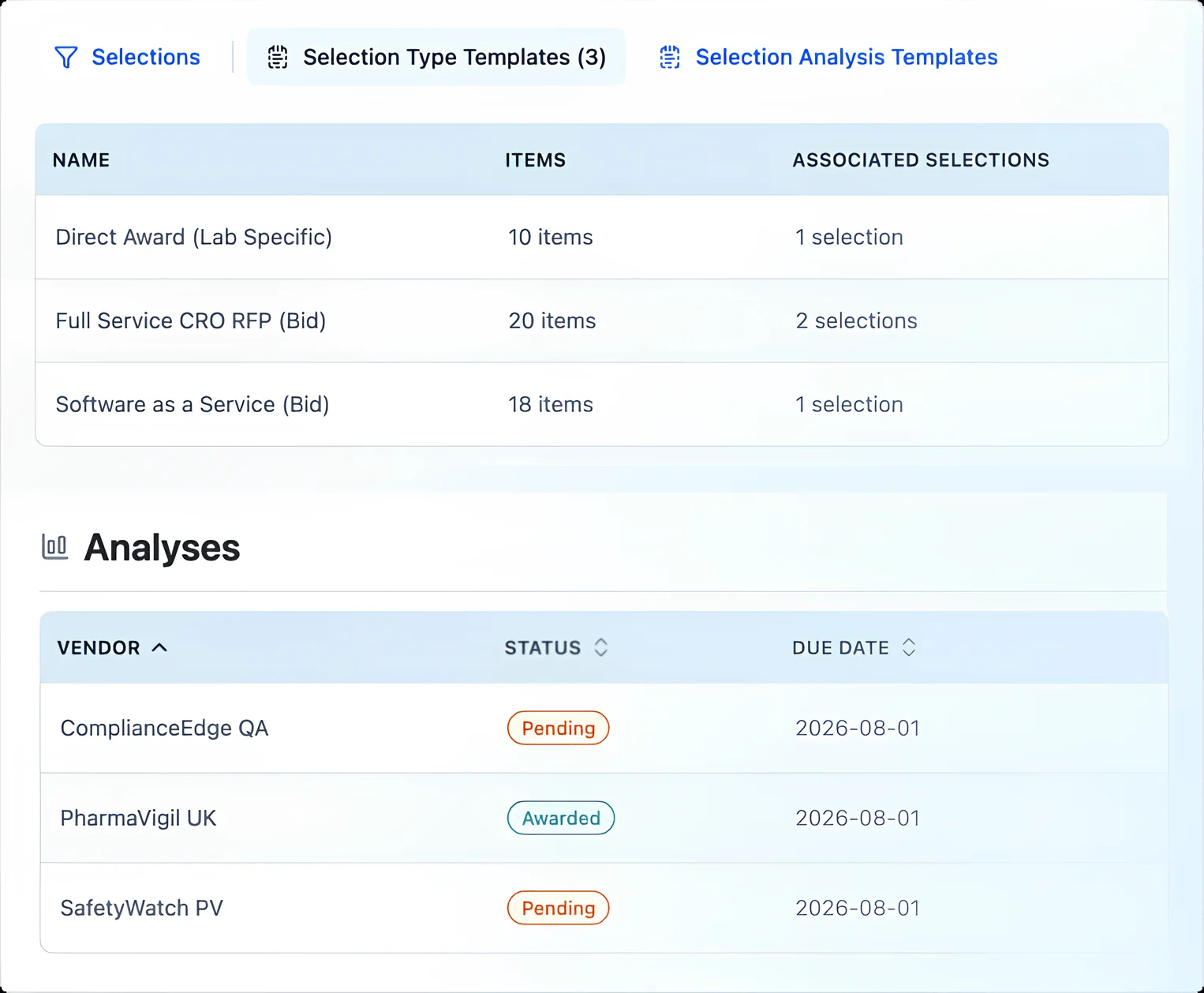
Run vendor evaluations that follow a consistent, documented process, whether it's a direct award for a specialist lab or a competitive RFP for a full-service CRO. Templates define the process structure. Analysis templates standardise how bidders are scored.
- + Selection types: Direct Award, Full Service CRO RFP, SaaS Evaluation, or your own custom types.
- + Bidder analysis: Scoring criteria, mandatory gate checks, evidence checklists, and a documented recommendation for each vendor under evaluation.
- + Template-driven: Selection and analysis templates are snapshotted at creation. Change the template for next time without affecting processes already in flight.
Qualifications
Qualify vendors to your standards, not someone else's
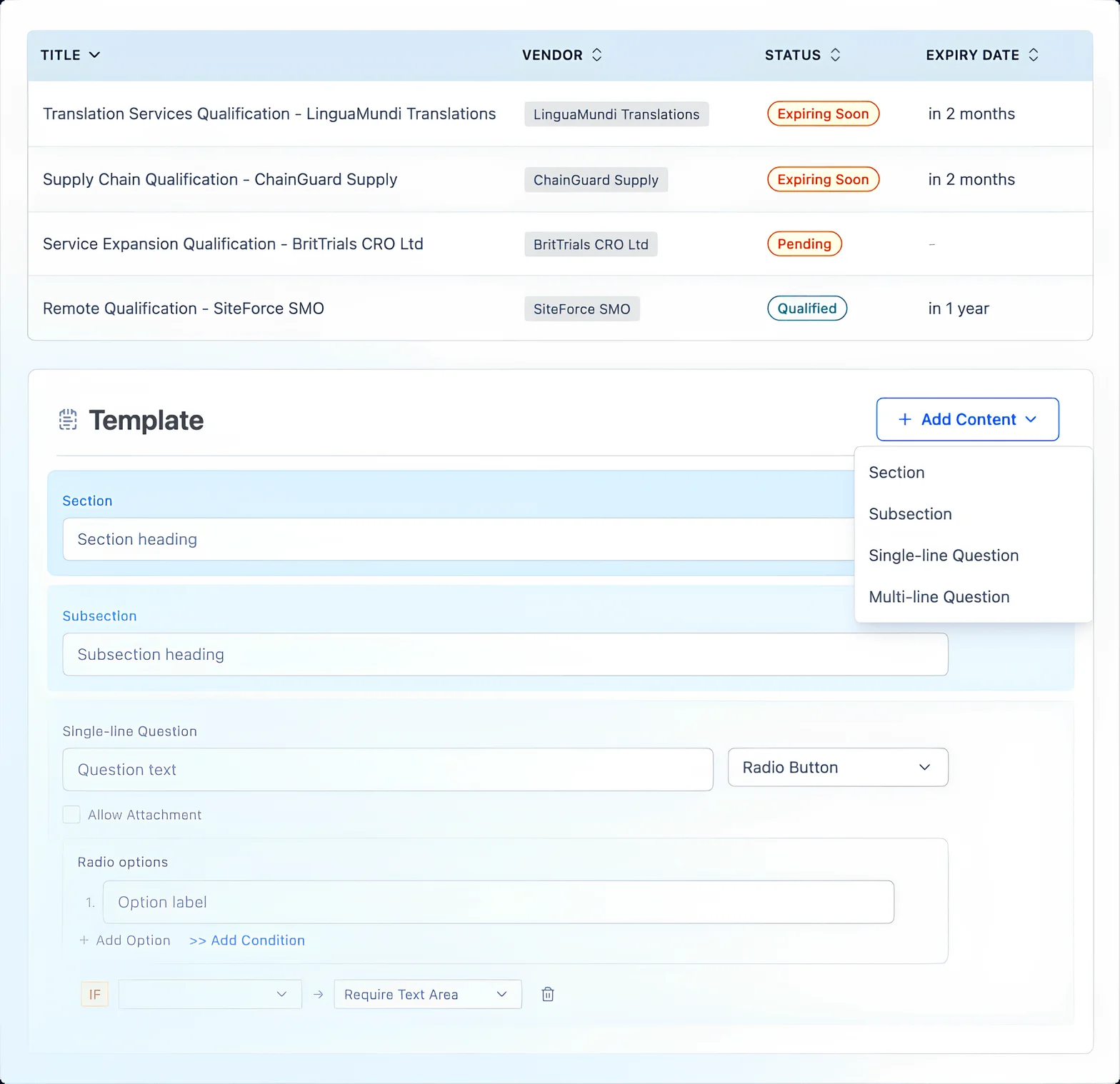
Template-based qualification workflows that support on-site audits, remote audits, and desktop reviews. Define the sections, questions, and evidence requirements that match your qualification process. The system tracks status through to expiry and flags qualifications before they lapse.
- + Auto-expiry tracking: Qualifications approaching their expiry date are automatically flagged as Expiring Soon. Expired qualifications are marked immediately. No silent lapses.
- + Form builder: Sections, subsections, conditional branching, multiple question types, attachment uploads. Build qualification forms that match your SOPs.
- + Custom template-driven: Define your own qualification types to match your SOPs. On-site audits, remote audits, desktop reviews, or any combination your organisation requires.
Governance
Contracts, deliverables, KPIs, and meetings connected
Governance tracks the ongoing vendor relationship: what was agreed, what was delivered, how performance is measured, and what was discussed. Contracts, deliverables, KPIs, and meetings are all linked to vendors, studies, and services so the governance picture is always complete.
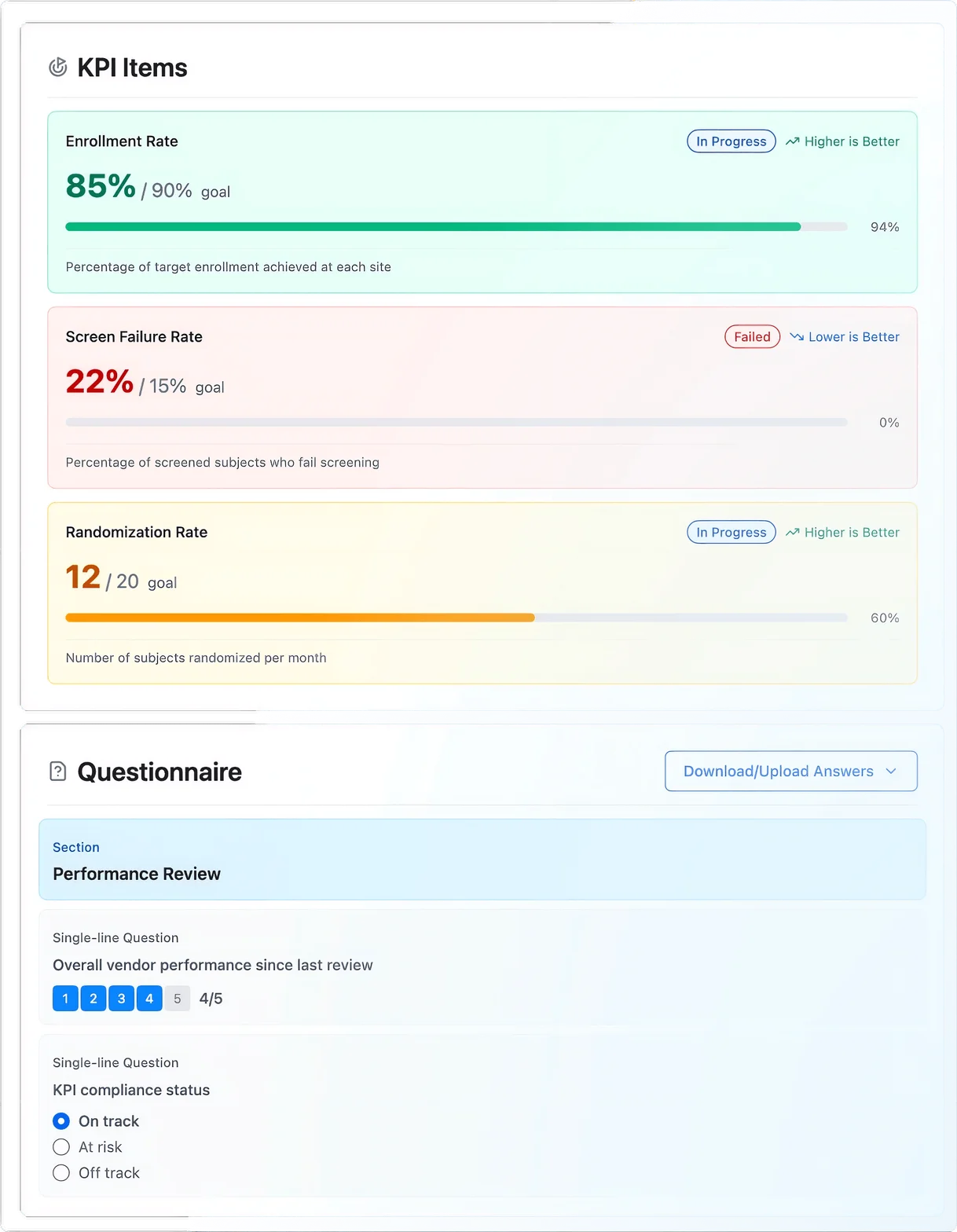
- + Meetings: Questionnaire-based governance reviews. Template-driven structure ensures consistent coverage across vendors and review periods.
- + KPIs: Measure vendor performance against defined targets. Percentage or numeric metrics, configurable goals, reusable templates.
- + Deliverables: Track vendor obligations with acceptance criteria, due dates, and delay reasons. Overdue items are flagged automatically.
- + Contracts: MSA, SOW, CDA/NDA. Automated expiry alerting at 90 days. Linked to vendors, studies, and services.
Risks & Issues Management
Six record types: four risks, two issues
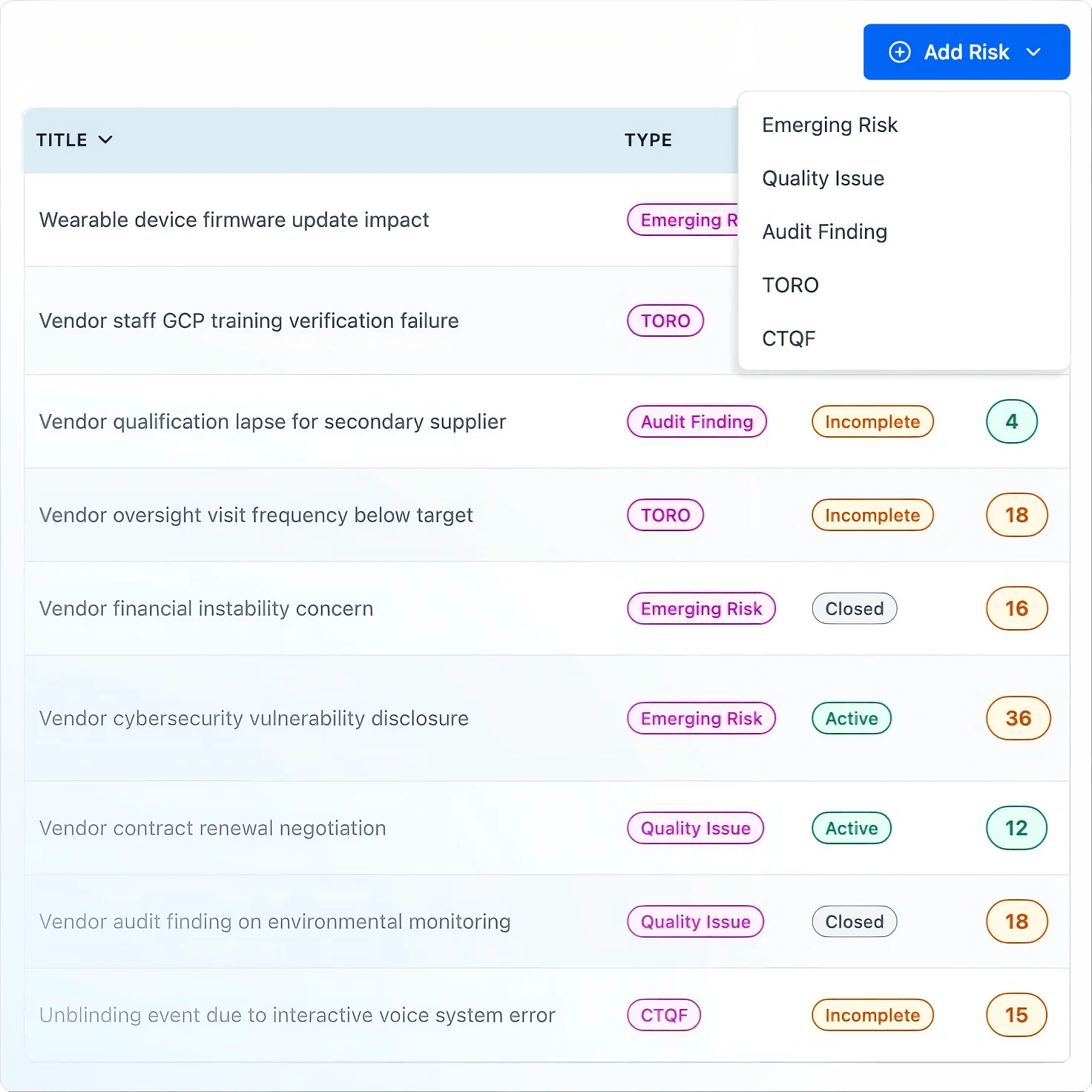
Six distinct record types purpose-built for clinical vendor oversight. Each carries a computed risk score for prioritisation across the portfolio.
- + Emerging Risks: Newly identified risks requiring assessment and a documented decision (accept, mitigate, or monitor).
- + Quality Issues: Deviations and non-conformances with root cause analysis and CAPA tracking. Due dates are enforced automatically.
- + Audit Findings: Issues from vendor audits with grading (Minor, Major, Critical), serious breach flagging, and CAPA workflows.
- + TOROs: Transferred Obligations and Retained Obligations. Study-level tracking of what was delegated and what the sponsor retains.
- + CTQFs: Critical to Quality Factors. Identify and monitor the activities most likely to impact data quality and patient safety.
- + Baseline Risks: Pre-identified risks inherent to each vendor type. Auto-generated from customisable vendor type templates when a vendor is created.
Requests
Send structured questionnaires, track every response
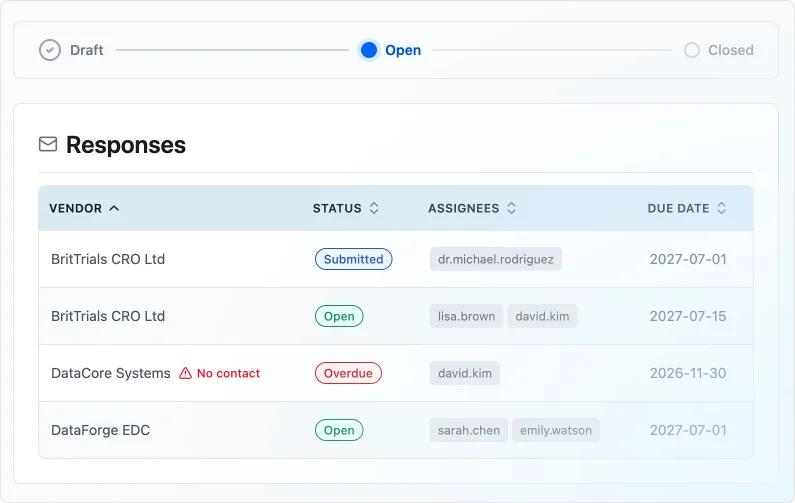
Send information requests and questionnaires to one or more vendors through a documented workflow. Each vendor receives their own response, tracked independently from draft through submission to review. Response templates define the questionnaire structure: configurable question types, scoring scales, and attachment uploads.
- + Draft → Open → Closed: Prepare the request, send it to vendors, close it when all responses are reviewed.
- + Per-vendor tracking: Each vendor's response follows its own workflow (Not Sent, Open, Submitted, Reviewed, Overdue).
- + Linked context: Associate requests with selections, qualifications, contracts, or risk items. Everything stays connected.
Tasks
Track work across the portfolio
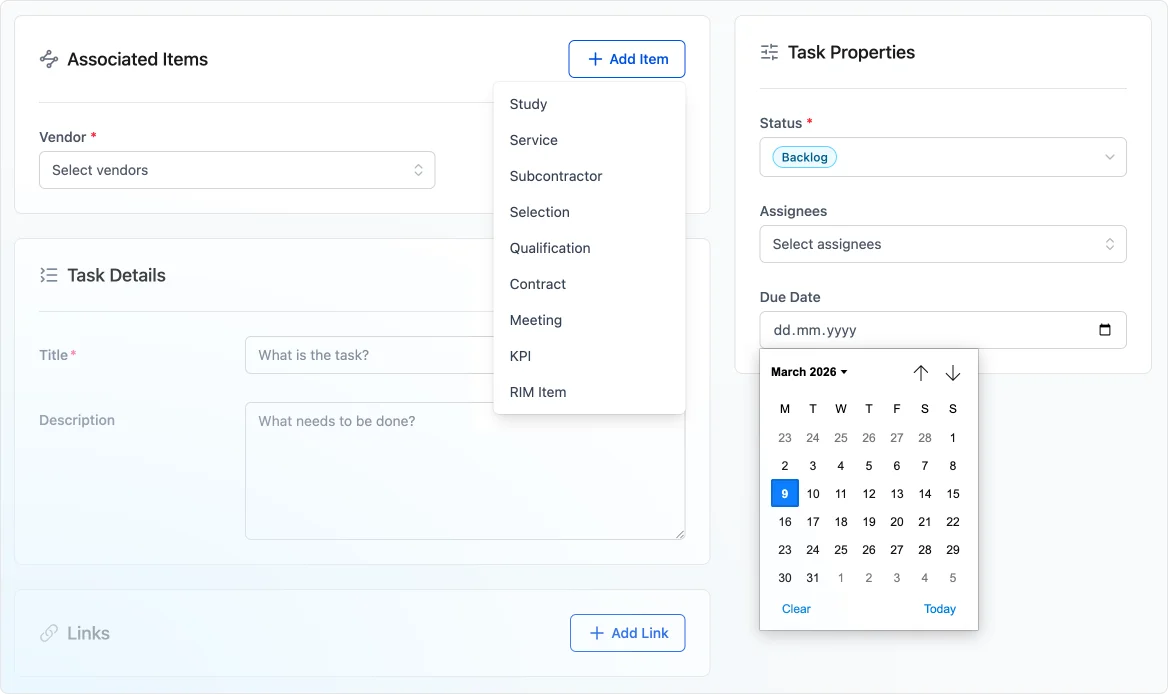
General-purpose work items that link to anything in VendorVigilance: vendors, studies, contracts, deliverables, qualifications, risks, or standalone. Priority, assignees, due dates, and a five-status workflow from Backlog through Closed.
Reports
Measure what matters across the portfolio
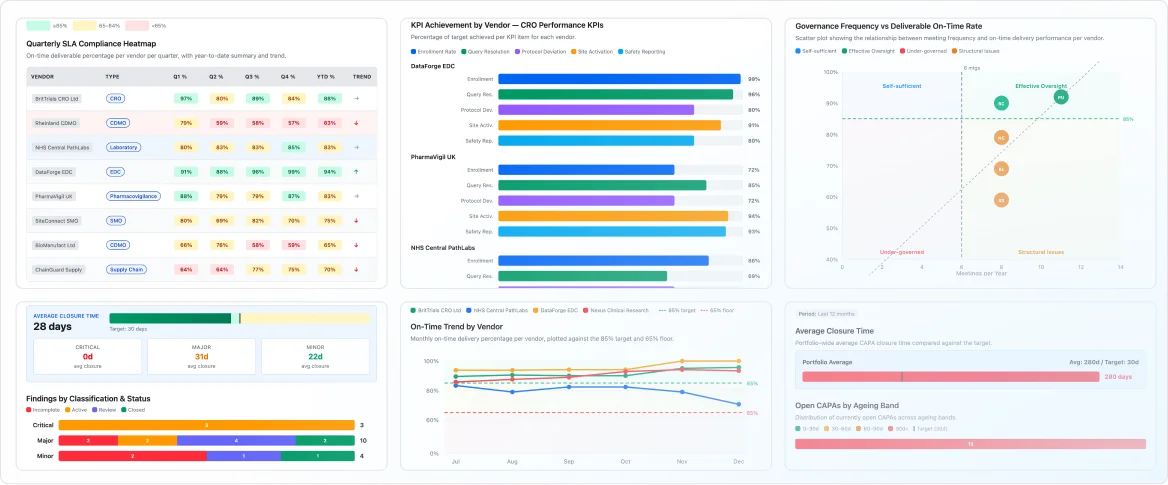
Fifteen built-in reports across selections, qualifications, deliverables, KPIs, risks and issues, and vendor requests. Filter by vendor type, date range, country, and geographic coverage. Bar chart visualisation and image export for board packs, governance reviews, and inspection preparation.
Platform
The infrastructure underneath every module
Dashboard
A personalised view of what needs your attention. Summary cards across all modules. Attention items include expiring qualifications, overdue deliverables, risks due for review, open requests, and active tasks. Each item links directly to the record.
Study Context
A global study filter in the application header narrows every view (vendors, selections, qualifications, contracts, risks) to a single clinical study. Switch between study-level and portfolio-level oversight instantly. The filter persists across page navigations.
Templates
Seven template libraries ensure consistency across the organisation: vendor types, qualification types, selection types, analysis templates, response templates, KPI templates, and meeting templates. All customisable through a drag-and-drop form builder. No coding required.
Audit Trail
Every data modification is recorded: who changed it, when, from where, and what the before/after values were. The audit trail meets 21 CFR Part 11 and EudraLex Annex 11 requirements for electronic records. Entries cannot be modified or deleted.
Access Control
Four roles (Superadmin, Admin, Editor, Viewer) with permissions scoped by study, module, and object type. User groups for shared configurations. Multi-factor authentication (TOTP) with backup codes.
Data Export
CSV and PDF export for all report data. API access for external analytics tools like Power BI, Tableau, or whatever the organisation already uses.
Notifications
In-app and email notifications for changes to items you're responsible for. Configurable subscription preferences: auto-subscribe on create, update, or assignment.